

Why does a top-tier resolution headset still feel like a budget toy the moment your motion rig kicks into a high-speed hair-pin? It's a frustrating reality for many enthusiasts that raw pixel density often crumbles under the pressure of intense physical movement. You've likely experienced that nauseating micro-stutter or the dreaded electromagnetic interference whilst trying to hold a precise line. If you're building a professional-grade Pimax VR motion simulator setup, you need more than just clarity; you need a system that remains rock-solid when the G-forces are real.
We agree that nothing breaks the spell of a 200mph straight faster than a tracking glitch or a blurry dashboard. This roundup cuts through the marketing noise to identify the specific headsets that deliver perfect 1:1 tracking stability and the edge-to-edge clarity required to read every telemetry detail. We'll explore the latest 2026 hardware specifically tested for EMI resistance and wide field-of-view performance on our LowSlider 6 DOF platforms. From the latest Pimax Crystal iterations to the most resilient tracking sensors, here is the definitive gear to ensure your virtual apexes feel exactly like the real thing.
Key Takeaways
- Identify why Pixels Per Degree (PPD) is the essential metric for reading dashboard telemetry and judging braking markers with absolute precision.
- Discover how a wide horizontal field of view allows you to monitor rivals in your wing mirrors whilst maintaining your focus on the racing line.
- Learn how to configure a stable Pimax VR motion simulator setup that resists electromagnetic interference and eliminates tracking latency.
- Master the software techniques required to synchronise your headset tracking with a 6 DOF motion rig for a perfectly aligned virtual cockpit.
- Compare the performance of the latest 2026 headsets to find the ideal balance between raw visual power and tracking reliability on a moving platform.
The Evolution of Immersion: Why VR is Mandatory for Sim Racing in 2026
By 2026, the definition of a high-end sim rig has fundamentally shifted. We no longer view a Virtual reality headset as an optional extra or a novelty for casual laps. For the professional driver or the dedicated enthusiast, it has become a mandatory training instrument. This transition is driven by the sheer precision required to compete in modern sim racing leagues where every centimetre of the track matters. When you're sitting in a Pimax VR motion simulator setup, you aren't just looking at a screen; you're existing within the cockpit. The hardware has finally matured, providing the frame-time consistency needed to make this experience seamless, even when your LowSlider rig is throwing you into a sharp hairpin.
Depth Perception and the Competitive Edge
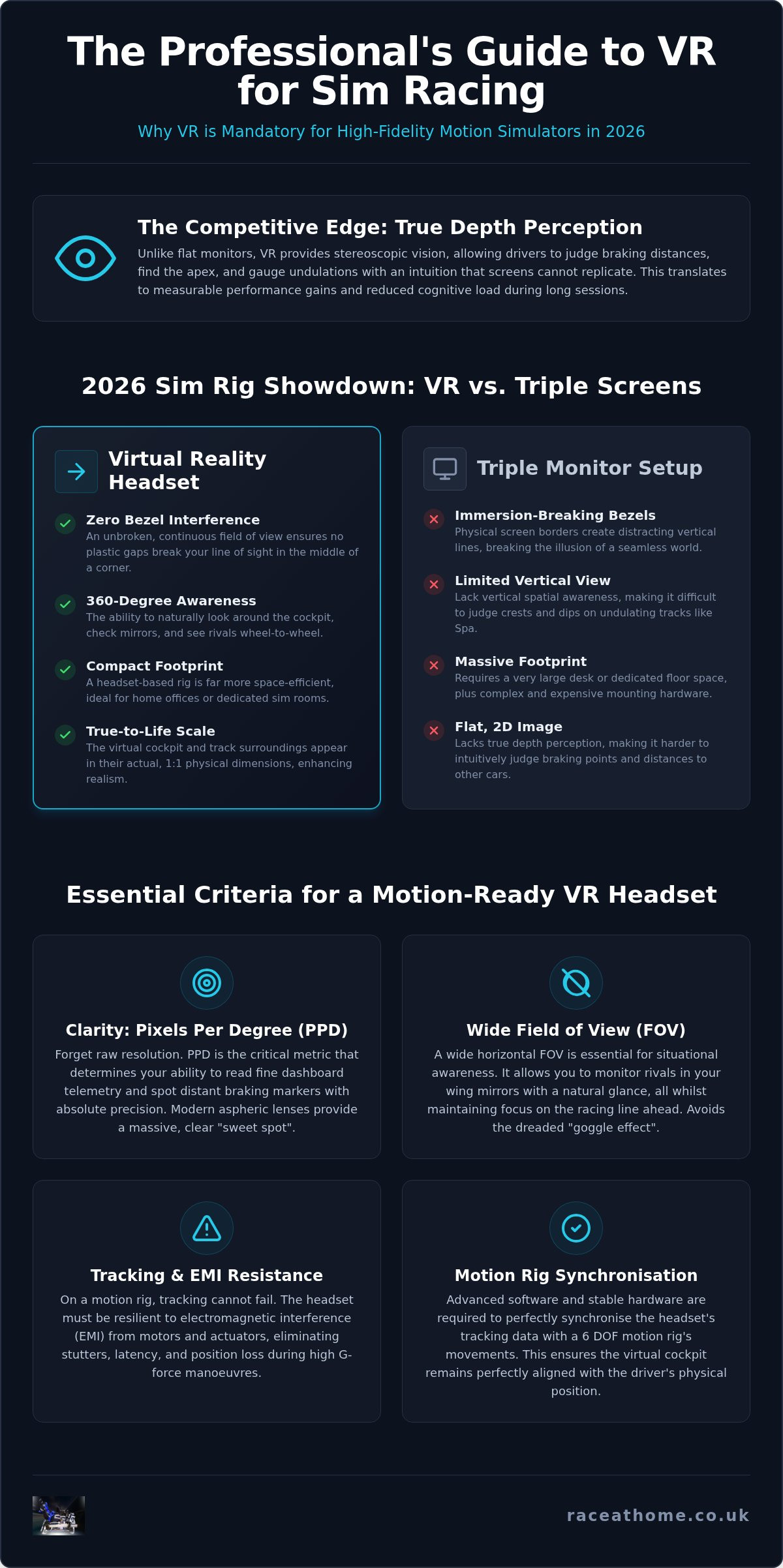
The primary advantage is stereoscopic vision. Unlike a flat monitor, VR provides true depth perception. This allows you to judge braking distances with a level of intuition that screens simply cannot replicate. You can see exactly where the apex lies and how much kerb you can safely take. Whilst triple-screen setups were once the gold standard, they fail to provide the vertical spatial awareness needed for undulating tracks like Spa or Bathurst. High field-of-view (FOV) headsets now allow drivers to glance at mirrors and check blind spots with natural head movements. This significantly reduces the cognitive load and helps with managing long-session fatigue. Presence is no longer just a buzzword; it's a measurable performance gain.
VR vs. Triple Screens in 2026
Space is the ultimate luxury. A triple 32-inch or 42-inch monitor array requires a massive footprint and complex mounting hardware. In contrast, a VR-based rig is compact and efficient. Whilst the "immersion tax" remains high; requiring a flagship GPU to push modern high-resolution displays; the cost-to-performance ratio has tilted. One premium headset often costs less than three high-end 4K monitors and the associated stands. If you're building a Pimax VR motion simulator setup, you're investing in a system that delivers a 360-degree environment without sacrificing your entire spare room. The benefits of choosing VR over traditional screens include:
- Zero bezel interference: No plastic gaps breaking your line of sight in the middle of a corner.
- 360-degree awareness: The ability to look directly at a rival alongside you during wheel-to-wheel combat.
- Compact footprint: Ideal for home offices or dedicated sim rooms where space is at a premium.
- True-to-life scale: The cockpit and track surroundings appear in their actual physical dimensions.
Modern PC hardware has finally caught up to the demands of high-resolution VR. We are now seeing the fruits of years of engineering, where the "screen-door effect" has been virtually eliminated. This allows for a level of visual fidelity that makes reading a dashboard or spotting a distant flag marshal as natural as it is in a real GT3 car.
Essential Criteria: How to Evaluate a VR Headset for Motion Simulators
Choosing a headset for a stationary desk is one thing. Selecting one for a high-performance motion rig is another challenge entirely. You aren't just looking for raw resolution; you're looking for tracking resilience. If your headset loses its position whilst you're pulling high G-forces in a sharp bend, the immersion is shattered instantly. This is where a professional Pimax VR motion simulator setup proves its worth by offering the stability required for high-fidelity simulation. The criteria for a motion-ready headset must prioritise how the hardware handles physical displacement and electrical noise.
The Clarity Factor: PPD and Lens Quality
High resolution is a baseline, but Pixels Per Degree (PPD) is the metric that truly matters. It determines if you can actually read the fine text on your dashboard telemetry or spot a braking marker 200 yards away. In 2026, aspheric lenses have become the standard for premium sim racing because they offer a massive "sweet spot" compared to older Fresnel designs. This allows you to glance with your eyes rather than turning your entire head, which is vital for maintaining focus on the racing line during intense wheel-to-wheel combat.
Field of View: The 'Goggle Effect' and How to Avoid It
A narrow field of view creates a restrictive "goggle effect" that kills peripheral awareness. To judge speed accurately, your brain needs to process the environment rushing past your sides. We consider 140 degrees of horizontal FOV the gold standard for 2026. It allows you to monitor your wing mirrors and track-side rivals without breaking your forward concentration. High FOV isn't just about seeing more; it's about the biological sensation of velocity and spatial positioning.
The "drift" problem is a silent killer of immersion. When your LowSlider 6 DOF platform tilts back to simulate rapid acceleration, your headset might think you've physically moved your head upwards. Without robust motion compensation software to subtract the rig's movement from the headset's tracking, your virtual cockpit will drift out of alignment. Lighthouse-based tracking remains the most resilient solution for this amongst enthusiasts. It provides a fixed external reference point that inside-out cameras often struggle to maintain during violent rig vibrations or in low-light sim rooms.
Physical logistics cannot be ignored. A 6 DOF platform involves rapid, multi-axis mechanical movement. A front-heavy headset will cause significant neck strain during a two-hour endurance race. Balance is just as important as total weight. Combine this with a minimum refresh rate of 90Hz to ensure visual fluidity. Anything lower, and the disconnect between your inner ear's balance and your visual input will lead to motion sickness, regardless of how powerful your PC hardware is.
The Best VR Headsets for Sim Racing in 2026: Top Recommendations
Whilst general-purpose VR headsets dominate the mass market, the requirements of a high-performance Pimax VR motion simulator setup demand a more specialised approach. You need hardware that can withstand the rigours of a 6 DOF platform whilst delivering the visual fidelity required for professional-level competition. In 2026, the market has split into clear categories: the value-driven clarity kings and the ultra-premium industrial powerhouses. Selecting the right one depends on whether you're chasing every last tenth of a second or seeking the most luxurious visual experience possible.
Pimax Crystal Light: The Sim Racer’s Favourite
The Pimax Crystal Light has solidified its position as the preferred choice for the majority of sim racing enthusiasts. It achieves this by stripping away unnecessary features like standalone battery packs to focus entirely on PCVR performance. Its local dimming technology is a game-changer for endurance racers; providing deep, true blacks during night stints at Le Mans whilst maintaining bright, vibrant dashboard illumination. Because it utilises a dedicated DisplayPort connection, you avoid the visual artefacts and latency common with compressed USB or wireless streaming. When combined with the integrated DMAS audio, it provides a sensory environment that is both physically comfortable and technically superior for long-duration racing.
The High-End Alternatives: When Budget is No Object
For those demanding the absolute pinnacle of 2026 technology, the Pimax Crystal Super stands alone. It introduces a revolutionary interchangeable optical engine system, allowing users to switch between QLED and Micro-OLED panels depending on their specific simulation needs. This 8K-capable beast is designed for the driver who refuses to compromise on pixel density or field of view. It's the ultimate centrepiece for a flagship motion rig, providing a level of detail that makes every stitch on a virtual steering wheel visible. These top-tier units also integrate seamlessly with a range of sim racing accessories, ensuring your entire cockpit feels like a unified, professional ecosystem.
Beyond the Pimax ecosystem, two other contenders deserve attention in 2026:
- Varjo Aero 2: This remains the industrial-grade benchmark. Its human-eye resolution is favoured by professional racing teams for driver coaching, as it allows for perfect focus on distant track markers.
- Meta Quest Pro 2: Whilst primarily a wireless-first device, its 2026 iteration offers improved bitrates for tethered use. It's an excellent choice for those who value mixed-reality features for checking physical button boxes, though it still faces a slight "compression tax" compared to native DisplayPort headsets.
Choosing between these flagships often comes down to your specific priorities. If you value raw, uncompressed clarity and a massive field of view to catch every apex, the Pimax range remains the dominant force. If you require the absolute highest level of professional certification, the Varjo may justify its industrial price tag. Regardless of your choice, ensure your PC hardware is capable of pushing these high-resolution displays at a consistent 90Hz to maintain the 1:1 realism your motion rig provides.
Solving the Motion Challenge: Tracking Stability and EMI Shielding
Building a professional Pimax VR motion simulator setup presents a unique engineering hurdle: the conflict between your headset's sensors and your rig's physical movement. Standard VR tracking assumes the floor is stationary. When your 6 DOF platform pitches for a steep climb, the headset interprets this as you looking up, causing your virtual eyes to drift away from the steering wheel. This "drift" isn't just annoying; it's a primary cause of motion sickness and lost lap times. Whilst many enthusiasts focus solely on resolution, the stability of your Pimax VR motion simulator setup depends entirely on your ability to manage these physical and electrical forces.
Software Solutions: OpenVR-MotionCompensation
To achieve 1:1 realism, you must use software to subtract the rig's movement from the headset's data. Mounting a dedicated tracker, such as a Vive Tracker, directly to the frame of your simulator allows the software to calculate the "delta" between the rig and your head. Configuring OpenVR-MotionCompensation within SteamVR ensures the horizon remains stable regardless of how aggressively you're attacking the kerbs. This setup allows the software to ignore the rig's pitch and roll, focusing only on your actual head movements. For those struggling with visual stutter during these corrections, our VR Motion Simulator Lag Guide offers deeper technical troubleshooting for a smoother experience.
Hardware Hardening: Shielding Your Rig from EMI
Electromagnetic Interference (EMI) is the silent enemy of high-fidelity simulation. High-torque direct drive wheels and powerful motion actuators generate significant electrical noise that can disrupt VR signals. This often manifests as sudden headset disconnects or jittery tracking that ruins your concentration. We've engineered the LowSlider 6 DOF platform with specific attention to grounding and signal isolation to mitigate these issues. Using shielded cables and fitting ferrite cores to your USB leads can further harden your setup against interference, ensuring the data stream remains pure even under heavy mechanical load.
Effective cable management is non-negotiable for full-motion setups. A snagged DisplayPort cable during a high-speed rotation can damage your hardware or cause a total system crash mid-race. Cables must be routed with enough slack to accommodate the maximum travel of your actuators. Braided sleeves and industrial-grade cable ties prevent the leads from becoming entangled in the mechanical joints of the rig. It's a small detail that prevents catastrophic data loss during an endurance stint. If you're ready to upgrade to a system designed for this level of intensity, explore our range of motion-ready VR ecosystems today.
Completing Your Command Centre: Integrating VR with a LowSlider Rig
The final piece of the simulation puzzle is the physical interface between the driver and the digital world. Many enthusiasts believe that a professional-grade 6 DOF rig requires a dedicated garage or a massive warehouse space. The LowSlider platform challenges this assumption by offering an ultra-low profile and a compact footprint. This makes it the ideal partner for a Pimax VR motion simulator setup, as it allows you to maintain a high-performance command centre in a standard home office or spare room without the need for cumbersome monitor stands or oversized frames. By removing the need for a massive visual array, you can focus your budget and space on the mechanical precision of the platform itself.
Achieving 1:1 realism requires more than just high-resolution visuals. It demands that every millimetre of movement in the software is mirrored by the physical hardware. Our LowSlider rigs are engineered to match the six degrees of freedom provided by modern simulation programmes. This synchronicity ensures that when your virtual GT3 car hits a rumble strip, your body feels the exact frequency of that vibration. This level of integration is what separates a gaming peripheral from a professional training tool. We've refined the assembly process so that you can go from unboxing to your first hot lap in record time; our one-hour setup promise ensures you spend more time racing and less time troubleshooting logistics.
The Synergy of 6 DOF and High-FOV VR
Your Path to Professional Realism
Choosing the right headset for your Pimax VR motion simulator setup depends on your primary discipline. For endurance racers, the Crystal Light offers the perfect balance of clarity and comfort for two-hour stints. For those demanding the absolute peak of 2026 technology, the Crystal Super provides an unmatched visual canvas for the most demanding simulators. We offer pre-configured bundles that include both the LowSlider platform and your chosen Pimax headset, ensuring total compatibility and optimised tracking right out of the box. With worldwide shipping and dedicated UK-based engineering support, your journey to the ultimate home-based simulation experience is more accessible than ever. Build your professional motion rig today and experience the final frontier of racing immersion.
Master the Circuit with Absolute Precision
By 2026, the gap between virtual simulation and real-world racing has effectively vanished. Success on the track now depends on your ability to maintain focus whilst your equipment delivers flawless, high-fidelity feedback. We've explored how tracking resilience, EMI shielding, and raw visual clarity form the foundation of a world-class experience. Whether you're prioritising the expansive field of view in the Crystal Light or the 8K resolution of the Crystal Super, your hardware must handle the intense physical demands of a 6 DOF platform.
A properly configured Pimax VR motion simulator setup is the ultimate evolution of the hobby. It transforms digital telemetry into tangible, visceral sensations that allow you to push your limits with confidence. At Race@Home, we provide the engineering expertise and hardware ecosystem required to achieve this level of professional realism. Our hand-built, ultra-low profile platforms are designed for rapid deployment, ensuring you can reach the starting grid without delay.
Explore the LowSlider 6 DOF Motion Platform and Pimax VR Range to discover our hand-built UK engineering, global shipping, and 1-hour assembly guarantee. The track is waiting for you.
Frequently Asked Questions
Does VR cause motion sickness in sim racing?
Nausea typically occurs when your brain detects a disconnect between visual movement and physical sensation. Interestingly, a motion platform often reduces this effect. By providing the physical G-forces your inner ear expects to feel during cornering or braking, a 6 DOF rig aligns your senses. Ensuring your PC maintains a consistent 90Hz refresh rate is also vital to prevent the visual lag that causes discomfort.
What is the best VR headset for sim racing with a motion platform?
The Pimax Crystal series is currently the benchmark for motion-integrated racing. Its high resolution and native DisplayPort connection provide the clarity needed to read dashboards whilst maintaining ultra-low latency. For professional-grade stability, a Pimax VR motion simulator setup using lighthouse tracking offers the most resilient performance against the vibrations and electrical noise of high-torque actuators.
How do I stop my VR headset from drifting on a motion rig?
Drift occurs because the headset interprets rig movement as head movement. You must use motion compensation software to cancel out the simulator's displacement. This is achieved by mounting a secondary tracker to the rig frame. This tracker acts as a fixed reference point, allowing the software to subtract the rig's pitch and roll from your visual input in real time.
Do I need a high-end PC to run VR in sim racing?
Yes, running modern high-resolution headsets at 90Hz or 120Hz requires significant GPU power. To maintain the immersion of a 6 DOF platform, your PC must deliver consistent frame times. If the frame rate drops, the visual lag will conflict with the physical motion. This lead to immediate discomfort and a loss of precision whilst you are attacking the track.
What is motion compensation and why do I need it for my sim rig?
Motion compensation is a software layer that synchronises your virtual view with your physical environment. Without it, when your rig tilts back to simulate acceleration, your virtual cockpit will appear to move around you. It is essential for maintaining a fixed horizon. This ensures your virtual seat stays perfectly aligned with your physical racing seat regardless of the rig's orientation.
Can I use the Pimax Crystal Light with a 6 DOF motion platform?
Absolutely. The Pimax Crystal Light is an excellent choice for a Pimax VR motion simulator setup because it is lighter than the standard Crystal model. Its reduced weight lowers the strain on your neck during high-G manoeuvres. When paired with a LowSlider 6 DOF rig, it provides a stable, high-clarity environment that is easy to configure for long endurance racing sessions.
Is a wide field of view (FOV) important for sim racing?
Wide FOV is critical for peripheral awareness and judging speed accurately. It allows you to see your wing mirrors and rival cars alongside you without turning your head. This natural vision helps you hit apexes more consistently. It also improves your ability to manage wheel-to-wheel combat in tight corners whilst maintaining your focus on the racing line ahead.
How do I manage cables on a motion simulator with VR?
Cable management requires careful planning to prevent snags during rapid rig movement. You should use braided sleeves and industrial cable ties to secure leads, leaving enough slack for the rig's maximum travel. High-quality DisplayPort extensions are often necessary to ensure the cables aren't under tension when the actuators reach their full extension during a high-speed rotation.


