

Turning every effect up won’t make the road feel more real. If you’re trying to feel the road texture sim racing, flat kerbs or indistinct bumps can make it tempting to add more vibration, only to leave the wheel noisy and tiring.
Convincing road feel isn’t created by one setting or one piece of hardware. The simulation generates information about the car and track. Force feedback brings steering forces and detail to your hands, whilst motion can add broader physical cues such as pitch, roll and heave. Each channel has a different role, and more intensity doesn’t automatically mean more realism.
This guide helps you work out whether the game, wheel settings or motion system is shaping what you feel, then refine your setup in a measured, repeatable way. You’ll learn how to tune force feedback without drowning out useful signals, how kerbs, bumps and changing surfaces are communicated, and when a motion platform adds a meaningful extra layer. The aim is a more connected drive, not a rig that simply shakes harder.
Key Takeaways
- To feel the road texture sim racing more clearly, identify which signals come from the simulation and which your hardware can reproduce.
- Use force feedback for steering forces and fine detail. Motion adds broader physical cues, so neither channel replaces the other.
- Build a reliable settings baseline, adjust one option at a time, then test and record what changes.
- Check the game’s surface, kerb and suspension feedback options where available. Avoid turning effects up until useful details become noise.
- LowSlider motion platforms offer 2 to 6 degrees of freedom as a complementary feedback channel. Most products include at least a one-year warranty.
What does it mean to feel road texture in sim racing?
A track can look rough on screen without feeling rough through your hands. Road texture is the physical feedback you perceive as the car crosses surface changes, bumps and kerbs, combined with the way the vehicle responds. It isn’t a direct copy of the picture. The simulation calculates how the car behaves, then compatible hardware translates some of that information into forces, vibration or movement.
Road texture is the driver’s physical perception of simulated surface changes and the car’s response, not literal contact with the road. A visible seam may produce little feedback if the game doesn’t model it as a meaningful physical event. A less obvious change can be felt if it affects the tyres, steering or suspension.
The game’s physics and telemetry provide the information available to your equipment. The wheel can convey steering torque and vibration; other hardware may communicate different kinds of physical cues. These outputs are forms of Haptic technology, which uses physical sensations to communicate information. What you feel depends on what the simulation generates and how the hardware reproduces it.
Which sensations count as road texture?
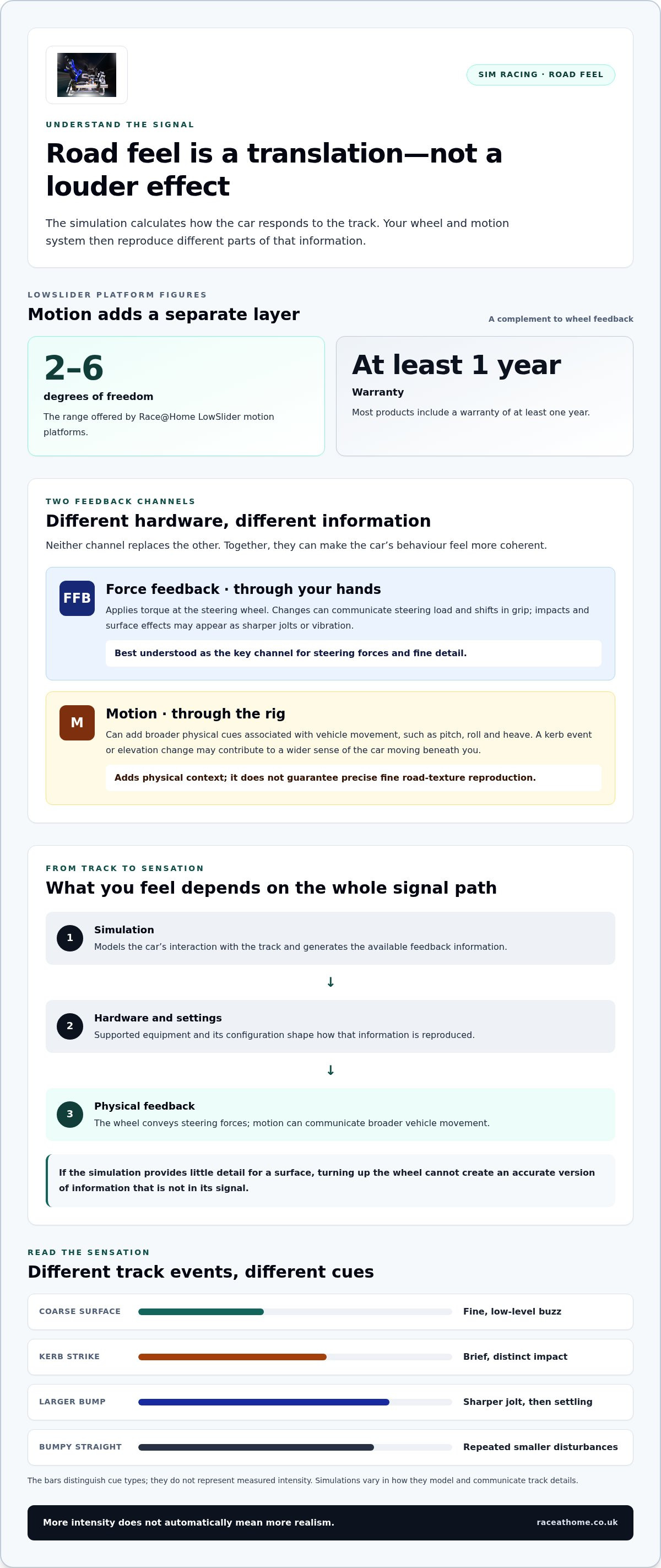
Road feel isn’t one sensation. A fine, low-level buzz might suggest a coarse or uneven surface. A kerb strike is usually a brief, distinct impact, whilst a larger bump may create a sharper jolt followed by a sense of the suspension settling. These are different cues, even if they arrive almost together.
Consider a car running over a kerb at a corner exit. The initial strike is an impact, the following vibration may continue briefly, and any body movement is a broader response. On a bumpy straight, the sensation may instead be a repeated series of smaller disturbances. Kerbs, joins in the track and uneven sections make useful reference points, but simulations don’t all model or communicate them in the same way. A strong effect isn’t automatically a more accurate one.
Why can the same track feel different across setups?
The sensation is shaped by a chain of choices, starting with the game’s physics and feedback output, then passing through hardware and its configuration. If the simulation provides little detail for a particular surface, the wheel can’t reveal information that isn’t in its signal. If it does provide detail, the wheel’s response and settings influence how clearly you feel it.
Different wheel systems can deliver force feedback with different characteristics. Settings also change the balance between steering forces, vibration and other effects. One setup may make subtle changes easy to distinguish; another may emphasise heavier forces or blend details into a general rumble. Neither is a universal reference. To feel the road texture sim racing can offer, separate what you see from what you physically feel, then consider how the game’s output and your hardware shape that sensation.
How sim racing turns track data into physical road feel
The sensation at your hands or through your seat begins as a calculation. The simulation models the car’s interaction with the track, including forces and vehicle behaviour, then sends relevant data to supported feedback hardware. Drivers often call this telemetry, though the details available and how they’re used vary between simulations. Hardware and settings shape the final output, so what you feel is a translation of the simulation, not a direct measurement of a real road.
Consider a car crossing a kerb. The sim calculates the resulting forces and movement, then the wheel may deliver a change in steering torque or a vibration. A motion system may produce a broader movement cue if its software and the game support that output. Each step depends on the information supplied and how the equipment is configured.
Force feedback communicates steering forces through your hands; motion communicates broader vehicle movement through the rig, so each channel conveys different information. Together, they can build a more coherent impression of what the car is doing.
What force feedback can communicate through the wheel
Force feedback (FFB) applies torque at the steering wheel. Changes in that torque can help you sense shifts in grip or steering load, whilst impacts and surface effects may appear as sharper jolts or vibration. The wheel is the primary channel for steering information, but it doesn’t reproduce every track detail equally.
The result depends on the simulation’s output, the wheel’s response and the settings that govern strength and effects. If a detail isn’t represented in the game’s feedback, turning up the wheel won’t create an accurate version of it. Different wheel systems can also present the same signal with different levels of force and detail, so no single setup is a universal reference.
What a motion platform adds to the sensation
Motion adds physical cues associated with the car’s movement, such as pitch, roll and heave. A change in elevation or a kerb event may contribute to a wider sense of the car moving beneath you, depending on the simulation, telemetry and platform configuration. This is a different scale of sensation from fine steering torque, and it doesn’t guarantee precise reproduction of fine road texture.
Race@Home LowSlider platforms offer 2 to 6 degrees of freedom. They complement wheel feedback rather than replace it: the wheel remains the key source of steering forces, whilst motion can add broader physical context. Most products include at least a one-year warranty.
If you’re considering this additional feedback layer, explore Race@Home motion platforms alongside your wheel and game settings. The aim is to make each channel contribute useful information, rather than asking one device to communicate every sensation.
Wheel force feedback or motion: which reveals road texture best?
There isn’t one winner for every sensation. The wheel is usually the more direct channel for steering load and detail through your hands; a motion platform adds broader movement cues through the rig. Game-side effects determine which information is available in the first place. If the simulation doesn’t output a particular surface response, neither channel can reproduce it accurately.
Compare the channels by the information they communicate:
- Game physics and effects: generate vehicle and surface responses, but their detail and available outputs vary by simulation.
- Wheel force feedback: conveys steering torque and may add vibration or impacts, depending on the game, wheel and settings.
- Motion: creates broader physical movement associated with vehicle behaviour and selected track events, rather than guaranteeing fine surface detail.
More intensity isn’t the same as more accuracy. If a kerb feels like a harsh jolt everywhere, increasing strength may simply make the signal harder to interpret. To feel the road texture sim racing can provide, look for distinct, useful cues rather than the biggest possible sensation. The right balance depends on your simulation, hardware and configuration. For a wider view of hardware and compatibility considerations, the sim racing setup guide offers broader context.
When wheel feedback is the more direct route
Steering-wheel feedback is the natural starting point for sensations that reach you through the steering: changes in load, grip response and, where the sim supports them, sharper kerb or surface cues. These details can help you read what the front tyres are doing. A seat or chassis shift is different; it describes broader movement rather than the torque arriving at the steering rim.
How clearly those cues feel varies. A wheel’s response and settings influence the result, as does the simulation’s feedback output. A particular effect may be present in one title and absent or presented differently in another, so don’t assume a setting or wheel will reveal every track detail in the same way.
When motion adds a different kind of road information
Motion can reinforce a selected event with physical movement. For instance, a platform might add a broader cue as the car pitches, rolls or moves over an elevation change, if the sim and platform configuration provide that information. That movement can strengthen the sense of the car’s behaviour, but it isn’t a substitute for steering detail or a promise of precise fine-grain texture.
Think of wheel and motion as complementary, not competing. If you’re exploring other ways to build out a rig, the sim racing accessories guide covers complementary hardware. Start with the cue you want to perceive, then consider which channel is designed to communicate it.
How to tune your sim racing settings for clearer road texture
Good road feel comes from clear, readable signals, not a control panel full of effects set to maximum. Tune methodically: if several settings change at once, it’s difficult to tell which one helped, and intense vibration can drown out subtler steering information. A repeatable process helps you judge whether a change makes bumps, kerbs or surface transitions easier to distinguish.
Keep the comparison fair. Use the same car, track, conditions and section of road each time, and note what you felt before adjusting anything. The aim is to improve clarity and control, not simply to make the rig more active.
Build a repeatable baseline before changing effects
Begin with the game’s and hardware manufacturer’s documented baseline settings. Choose a familiar piece of track with a recognisable feature, such as a kerb or uneven patch. Drive it consistently and note whether the feedback feels clear, muted, harsh or indistinct. This gives you a useful reference instead of relying on memory from different sessions.
- Check the game’s surface, kerb and suspension feedback options, where available, and note their current values.
- Change one relevant control only, whether it’s a game effect or a wheel setting.
- Drive the same section again, then record what changed and whether the cue became easier to read.
- Keep the adjustment only if it improves clarity. Otherwise, return to your previous value before testing another control.
Resist the urge to alter wheel and game settings together. A single change makes cause and effect easier to recognise. If your test conditions vary, repeat the comparison before drawing a conclusion.
Balance detail, control and physical feedback
Listen to the whole feedback picture. If continuous vibration masks changes in steering load, reduce the effect responsible rather than increasing every other output. If kerb impacts feel artificially sharp, try adjusting the relevant effect in small increments, where the sim provides that control. Prioritise detail you can interpret whilst driving, not intensity that feels impressive only in a stationary test.
Check whether each change helps you distinguish events. Can you still read the steering clearly? Does a bump feel like a discrete event, or has it blended into constant rumble? If motion is part of your rig, assess its cues separately from the wheel, then consider whether the combined result feels coherent. The game’s available outputs and each system’s response affect what adjustments can achieve.
Keep a simple settings log with the control changed and your observation. That makes it easier to revisit a useful baseline after experiments or updates, and prevents repeated guesswork. For a Race@Home motion setup, get Race@Home tuning support for help with tuning, firmware and game compatibility.
Where a Race@Home motion platform fits into a road-feel setup
A motion platform makes most sense as another layer in a carefully balanced rig, not a shortcut to more detail through the steering wheel. If you want to feel the road texture sim racing can offer, first decide which cues you’re missing. Is steering feedback unclear, or are you looking for a stronger sense of the car’s broader movement? That distinction helps you decide where motion fits.
Race@Home’s LowSlider platforms are a premium option for racers seeking physical movement alongside wheel feedback. They’re compact, low-profile platforms offering 2 to 6 degrees of freedom. Their role is to add movement cues, while the steering wheel remains a separate source of force feedback. Motion can contribute to immersion, but it shouldn’t be treated as a guarantee that every kerb or subtle change in surface will be reproduced precisely.
What to expect from LowSlider motion
Think of the platform as contributing to your sense of how the car moves, rather than acting as a second steering wheel. If a supported game and configuration provide suitable data, movement may reinforce broader vehicle or track events. The resulting sensation depends on the available signal and how the complete setup is configured; the platform can’t add physical information the simulation hasn’t generated.
This is why the channels work best together. Your wheel communicates steering forces through your hands, whilst platform movement adds a different physical cue through the rig. A motion platform isn’t a replacement for readable wheel feedback, nor should it be expected to turn every fine surface variation into a distinct movement. Set expectations around the information you want to perceive, not the intensity you hope to feel.
Plan the complete rig around your feedback priorities
Before adding motion, consider how the wheel, pedals, game settings and platform will work as one system. Start with a clear priority: steering detail, broader movement, or a more coherent combination. Then assess each channel independently before judging the whole experience. If movement dominates your attention or steering cues become harder to read, refine the balance rather than adding more effects.
Plan for the physical setup as well as the feedback. Allow space at least as large as a small double bed, with extra clearance in front and on the sides. The platform typically weighs 60-100 kg, before adding the driver and equipment, so use a solid floor. The system needs mains power and a wired network connection. LowSlider platforms use quiet electric motors, though some sound and vibration remain, especially at high settings. Mounts or rubber feet can help reduce noise in a setup.
Race@Home provides after-sales support for firmware, game compatibility and tuning, helping you work through the practical parts of a motion setup. Most Race@Home products include at least a one-year warranty.
If broader movement is the missing layer in your rig, explore Race@Home motion platforms and consider how LowSlider could complement your wheel and game settings.
Make your next setup change count
Choose one sensation you want to recognise more clearly, then use it as the benchmark for your next adjustment. A setup that helps you distinguish useful cues can build confidence lap after lap, without turning every bump into a distraction. That’s the goal when you want to feel the road texture sim racing: feedback that informs your driving and feels connected to the car.
If broader physical movement is the next layer you want to explore, consider how a motion platform could complement your wheel and the way you drive. Explore Race@Home motion platforms and take the next step towards a more immersive, thoughtfully tuned rig.
Make each sensation earn its place. With a considered setup, the track can feel more alive, and every lap can bring you closer to the drive you’re aiming for.
Frequently Asked Questions
Can a motion platform make road texture feel more realistic?
Yes, a motion platform can add physical movement cues that make the car’s behaviour feel more present, whilst steering-wheel force feedback communicates through your hands. The effect depends on the simulation’s output, the platform and wheel hardware, and their settings. For example, a platform may add a broader movement cue over a rise, but it can’t guarantee that every small ripple or kerb edge will feel precisely as it would on track.
How do I feel kerbs through a sim racing wheel?
Kerb feedback depends on what the simulation calculates and sends to the wheel, as well as the wheel’s response and configuration. Choose one kerb you can approach consistently, then drive over it at a similar speed and line during each test. If the sensation is muted or harsh, change one relevant setting and compare again. Different simulations handle kerbs differently, so there isn’t one setting that suits every title.
Why does my sim racing setup feel flat on bumpy tracks?
A flat sensation may come from the simulation’s physics or feedback output, a setting that reduces relevant effects, or the way your hardware responds. First check whether surface or suspension effects are enabled in the game, where available. Then compare the same bumpy section over repeatable laps. If bumps are present but faint, careful adjustment may help; if the game supplies little detail, settings alone can’t create it.
Does force feedback reproduce road texture or just steering weight?
Force feedback can communicate more than steering weight. Depending on the simulation and configuration, the wheel may also deliver surface-related vibration or an impact, such as a kerb strike. The detail varies between titles and wheel systems, so don’t expect identical sensations across setups. Motion is a separate channel: it can add broader movement cues, whilst force feedback remains the information you feel through the steering wheel.
Can I feel road texture without a motion simulator?
Yes. Steering-wheel force feedback can provide road-related sensations without a motion platform, depending on the simulation, wheel and settings. You can feel the road texture sim racing offers by first checking what your game communicates through the wheel and then tuning that output carefully. A motion platform is an additional route to broader physical movement cues, not a prerequisite for experiencing bumps, kerbs or changes in surface through your hands.
How should I tune force feedback for road bumps?
Start with the documented baseline for your simulation and wheel, then test a familiar bump or kerb under consistent conditions. Change one relevant control at a time and note whether the event becomes easier to distinguish whilst you retain clear steering control. Aim for readable feedback, not maximum force. Settings vary across games and hardware, so a numerical value that works well on one setup may not suit another.


