

The ultimate man cave racing simulator isn’t simply the rig with the most hardware. It’s the one that fits your room, delivers the sensations you care about and makes you want to race, rather than wrestle with a complicated setup. If you’re weighing a static cockpit against motion, or wondering whether 6 DOF will take up too much space, those are useful questions to settle before choosing equipment.
This guide explains how static, 3DoF and 6 DOF systems differ, which components shape the driving experience and how to plan for room layout and assembly. You’ll also learn how to weigh an upgradeable setup, including compact LowSlider motion platforms shipped in four pieces for customer assembly in under an hour. Use the steps and comparisons below to decide what matters most for your space and the way you race.
Key Takeaways
- Plan the ultimate man cave racing simulator around your room, preferred driving experience and everyday use, rather than choosing hardware by specification alone.
- Consider how the cockpit, steering system, pedals, display or VR headset, computer and motion platform each contribute to immersion.
- Compare static, 3DoF and 6 DOF platforms by the sensations they provide and the practical demands of your space, not as a simple ranking of quality.
- Plan the rig’s position in sequence: measure the area, preserve access, choose your viewing setup, then position controls with seating and cables in mind.
- Consider whether the compact, ultra-low-profile LowSlider platform could bring motion feedback into your room while fitting the setup you have in mind.
What makes an ultimate man cave racing simulator worth building?
Feel the steering load change under braking and the car settle into a corner. A well-planned home simulator makes racing cues more tangible while still working as part of your everyday space. The ultimate man cave racing simulator isn’t necessarily the biggest or most elaborate rig. It’s a dedicated racing setup shaped around your room, chosen hardware and intended use.
A collection of accessories can improve a gaming setup, but a considered simulator brings the cockpit, controls and viewing experience together. Motion or virtual reality (VR) can add another layer if it supports the kind of racing you enjoy. The aim is to create a personal space that feels rewarding to use and practical to live with.
Your ideal configuration depends on the space available, the level of immersion you want and how often you expect to race. If you drive regularly, a consistent seating position and precise controls may be priorities. For occasional entertainment, a clear view and easy access may matter more than adding every possible feature.
Which racing experience are you trying to create?
Start by deciding what you want from the rig. For casual entertainment, you may prioritise visual immersion and ease of use. Regular sim racing can make a consistent seating position and repeatable control inputs more important. If you’re focused on competition, precision and consistency may come first. Each goal points to a different balance of equipment.
Force feedback communicates changes in steering load through the wheel, while motion can translate selected vehicle cues into physical movement. VR gives you an immersive view of the virtual circuit. Understanding how motion simulators work can help you decide whether platform movement belongs in your plans. Set your priorities first, then choose hardware that supports them instead of adding features simply because they are available.
What belongs in a dedicated racing room?
The cockpit, wheel and pedals are your main points of interaction: they support your driving position and let you control the car. A screen or VR headset provides the view, while a motion platform is an optional way to add physical cues. Plan how these elements work together rather than choosing each one in isolation.
Check that the seat lets you reach the wheel and pedals comfortably, and that your screen or headset gives you a view you can use naturally. Leave access around the rig and account for cables and any movement from the platform. A setup that fits neatly and is straightforward to use is easier to make part of your routine.
A man cave racing simulator is an integrated home racing setup organised around your space, controls and preferred level of immersion.
How do the components turn a racing game into an immersive simulator?
Immersion comes from how the components work together, not from adding hardware for its own sake. The cockpit supports your driving position; the wheel provides force feedback, and the pedals control braking and acceleration. A computer runs the simulation, while a monitor or VR headset provides the view. Each component has a different role, so a motion platform or immersive display won’t compensate for controls that don’t suit your driving.
Force feedback makes steering load and changes in grip more tangible through the wheel. Motion is a separate layer that can translate selected simulation cues into physical movement. Simulation is also used in professional settings: the US National Highway Traffic Safety Administration describes its work in advanced driver simulation research. When choosing components, consider how they fit together, including the physical space they need and how you’ll use them.
What does a motion platform add to sim racing?
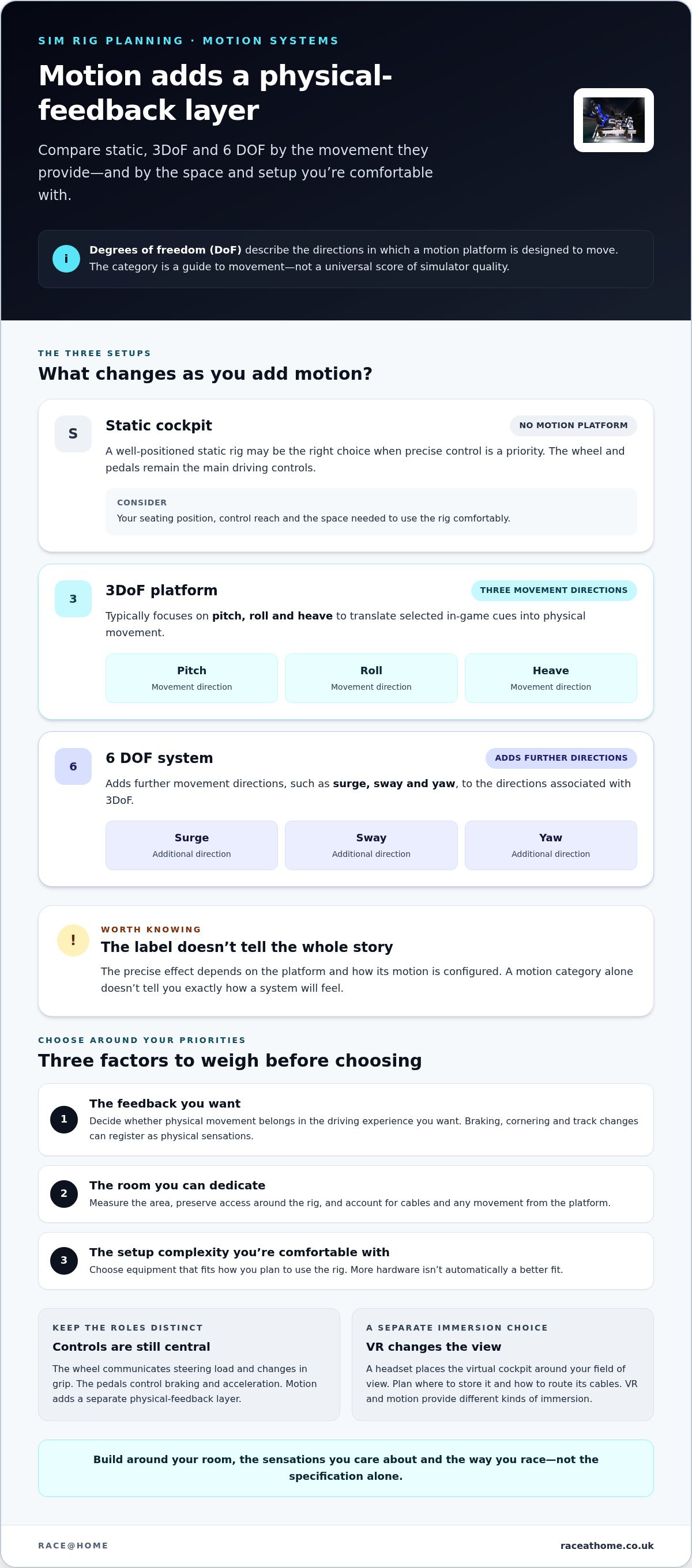
A motion platform moves the rig in response to selected in-game cues. Braking, cornering or changes in the track can register as physical sensations alongside visual information. Degrees of freedom (DoF) describe the directions in which a platform can move, giving you a broad way to understand the movement a system is designed to provide.
A 3DoF platform typically focuses on pitch, roll and heave; a 6 DOF system adds further directions of movement, such as surge, sway and yaw. The precise effect depends on the platform and how its motion is configured, so the category alone doesn’t tell you exactly how a system will feel. A motion platform adds physical feedback, but the wheel and pedals remain your main driving controls.
Should you add VR to a man cave simulator?
A monitor gives you a screen-based view and lets you see the room around the rig. A headset places the virtual cockpit around your field of view, but changes how you interact with the space. Plan where to store the headset and how to route its cables. VR adds visual immersion; motion hardware supplies a distinct physical-feedback layer. Choose either, both or neither according to what you want from your ultimate man cave racing simulator.
For more focused guidance on headset considerations alongside motion, explore the Pimax VR motion simulator setup guide. If physical feedback is central to your build, see Race@Home motion platforms as part of planning your setup.
Static, 3DoF or 6 DOF: which racing simulator suits your priorities?
Choose according to the feedback you want, the space you can dedicate and the complexity you’re comfortable with. A motion category describes the directions a platform can move; it isn’t a universal score of simulator quality. A well-positioned static rig may be right for precise control, while motion adds another way to experience what the virtual car is doing.
| Setup | Experience | Room planning | May suit you if… |
|---|---|---|---|
| Static | Visual feedback and steering and pedal control, without a moving platform. | Plan for the cockpit, display and comfortable access. | You prioritise driving inputs and want a fixed rig. |
| 3DoF motion | Movement across three degrees of freedom adds physical cues to the driving experience. | Allow for the platform as part of the rig and its placement. | You want motion feedback in a focused configuration. |
| 6 DOF motion | Movement across six degrees of freedom offers a broader range of possible physical cues. | Consider the platform alongside the cockpit, viewing setup and access. | You’re seeking a more immersive motion experience. |
These are different approaches, not a simple progression from poor to best. The ultimate man cave racing simulator is the one that supports your priorities. For more technical context, explore this 6 DOF motion simulator guide. The FIA’s appointment of a supplier for sim racing installations also reflects the role of simulation in organised motorsport; read the announcement about an official supplier for sim racing.
When is a static racing rig the sensible choice?
If steering feel, pedal control and a consistent driving position matter most, a static rig can deliver a focused experience without platform movement. It isn’t an inadequate version of a simulator; it simply leaves motion cues out of the experience. Prioritise comfortable seating and controls that work well together, then consider motion only if it adds something you want.
How do 3DoF and 6 DOF options differ?
Both add movement, but they represent different platform approaches. The LowSlider 3DoF motion platform and LowSlider 6 DOF Twin-Traction-Loss Motion Platform are two options to compare against your room and preferred feedback. For help weighing the decision, read this sim racing motion rig value guide. You can also explore Race@Home motion platforms as part of your research.
How should you plan a man cave racing simulator around your room?
Start with a plan, not a box of components. Even a dedicated room needs to work around you: the seating position, viewing setup, access and equipment all need to fit together. If the space serves other purposes too, a compact footprint can help preserve its everyday use while giving your racing setup a proper place.
What should you measure before choosing a simulator?
Use this sequence to plan your layout before choosing equipment:
- Measure the intended area. Note the usable floor space, not just the room’s overall dimensions. Compare it with the published dimensions of the exact cockpit and motion platform you’re considering.
- Map the access route. Check how equipment will reach its position, and leave a comfortable way to enter and exit the rig.
- Choose your viewing setup. Mark where a screen will sit, or plan for headset use and a place to put it down when you’re not racing.
- Place the controls. Position the wheel and pedals around your seated posture, then plan where the computer, accessories and cables will go.
Think beyond the platform footprint. Make sure the seat suits your driving position, the screen can be viewed comfortably and cables don’t cross your route in and out. If you plan to use VR, consider how you’ll move around the room with the headset on. Check the published dimensions for the specific platform and allow for its movement when finalising the layout. Don’t rely on a generic clearance estimate.
How can you make setup and future upgrades easier?
Keep the first build focused. Separate the components you need to race comfortably from optional additions such as motion or a headset. That makes later upgrades easier to plan: you can assess how each addition affects access and everyday use instead of squeezing equipment into the room without a clear layout.
Where practical, route cables along the edges of the setup and keep frequently used controls within easy reach. If the room has another function, consider how the rig will affect it before fixing the layout. Race@Home LowSlider platforms have a compact, ultra-low-profile design and are shipped in four pieces for customer assembly, which can be completed in under an hour. Include the assembly process when deciding where to position the platform.
Once you have your measurements and layout, explore Race@Home motion platforms as part of planning a simulator that fits your space.
Why consider a Race@Home LowSlider for your man cave simulator?
A motion rig needs to fit both the room and the racing experience you want. Race@Home designs and manufactures hand-built LowSlider motion platforms for private and commercial use. Their ultra-low-profile design and compact footprint are practical factors to consider when planning a dedicated home space, alongside the movement a platform can bring to your driving.
What makes the LowSlider approach relevant to a home setup?
In a room that serves other purposes, the platform’s low-profile form can help you plan how the simulator fits into the available space. Assess the complete rig, including the cockpit, viewing setup, access and cables, rather than judging fit by the platform alone.
LowSlider platforms are hand-built to order and shipped in four pieces for customer assembly, which can be completed in under an hour. Allow time for assembly and plan the platform’s position as part of the overall layout. The choice of platform matters too: compare the LowSlider 3DoF motion platform and the LowSlider 6 DOF Twin-Traction-Loss Motion Platform against your preferred physical feedback and room layout.
What is a practical next step before choosing?
Bring your main decisions together before selecting a platform:
- Room fit: account for the full setup, access and comfortable use of the space.
- Preferred feedback: decide whether you want motion cues and which platform category you’re considering.
- Intended use: match the setup to how you plan to race, whether for occasional enjoyment or frequent sessions.
- Supporting hardware: include the cockpit, controls and viewing equipment in your overall plan.
Then compare the two LowSlider options against those priorities. The ultimate man cave racing simulator isn’t defined by choosing the most elaborate platform; it’s a considered combination of room, motion and hardware that suits the way you race. Explore the Race@Home simulator range to discover its motion simulator options.
Build a simulator that fits the way you race
The ultimate man cave racing simulator isn’t defined by how much hardware is in the room. It’s shaped around your available space, the driving experience you want and the controls you’ll use most. A static rig can put precision first; motion adds physical cues, with 3DoF and 6 DOF platforms taking different approaches.
Plan the whole space before choosing equipment. Consider your seating position, viewing setup, access and cables, then weigh each upgrade against how you intend to race. If motion is part of your plan, Race@Home’s hand-built-to-order LowSlider platforms combine a compact, ultra-low-profile design with a four-piece format for customer assembly in under an hour.
Ready to plan a motion setup for your home? Explore Race@Home’s hand-built LowSlider motion platforms and choose an option that fits your space and preferred racing experience.
Frequently Asked Questions
What do you need for an ultimate man cave racing simulator?
An ultimate man cave racing simulator needs a stable cockpit, steering wheel, pedals, a display or VR headset and a computer capable of running your chosen racing software. Start with a comfortable driving position and controls that suit how you race. A motion platform is optional, adding physical feedback rather than replacing the essentials. Plan the complete arrangement around your room, including access, viewing position and cable routing.
Is a motion simulator worth it for a home racing setup?
A motion simulator can be worthwhile if you want selected driving cues to register as physical movement alongside visual and steering feedback. It adds another layer of immersion, but won’t automatically improve every part of your setup or replace good controls. Consider how often you’ll race, which sensations matter to you and whether the platform fits your space. If those priorities align, motion may be a rewarding addition.
What is the difference between a 3DoF and a 6 DOF racing simulator?
The difference is the range of movement the platform is designed to provide. A 3DoF system typically moves through pitch, roll and heave, while 6 DOF adds surge, sway and yaw. These categories describe movement, not a universal ranking of simulator quality, and the sensations vary by system. Compare the LowSlider 3DoF motion platform and LowSlider 6 DOF Twin-Traction-Loss Motion Platform against your room and preferred feedback.
Can a motion simulator fit in a home man cave?
Yes, a motion simulator can suit a home man cave if you plan for the complete rig, not just the platform. Measure the intended area and access route, then account for the cockpit, seated position, display or headset use, cables and comfortable entry and exit. Race@Home LowSlider platforms have a compact, ultra-low-profile design. Include the dimensions of the specific setup when arranging your room.
How long does it take to assemble a Race@Home LowSlider simulator?
Customer assembly of a Race@Home LowSlider platform can be completed in under an hour. The platform is shipped in four pieces for assembly, so include the setup process in your room plan and decide where it will sit. This is the assembly time for the platform, not necessarily for every part of a complete simulator, such as the cockpit, computer, display and controls.
Should I choose VR or monitors for a man cave racing simulator?
Choose VR if you want a headset-based view that places you inside the virtual cockpit. Monitors provide a screen-based view and let you see more of the room around the rig. Consider which suits your comfort, viewing preference and available space. With VR, plan where to put the headset and how to manage cables. Both provide visual immersion, while motion hardware adds a separate layer of physical feedback.
Can I upgrade a static sim racing rig with motion later?
Motion can often be added to a static rig later if the cockpit and platform work together and the room can accommodate the complete setup. Before buying, consider how the platform will fit beneath or around the cockpit, alongside your controls, viewing equipment and cables. Planning for a possible upgrade can help you choose a sensible starting setup, but check compatibility for the specific hardware you intend to use.


