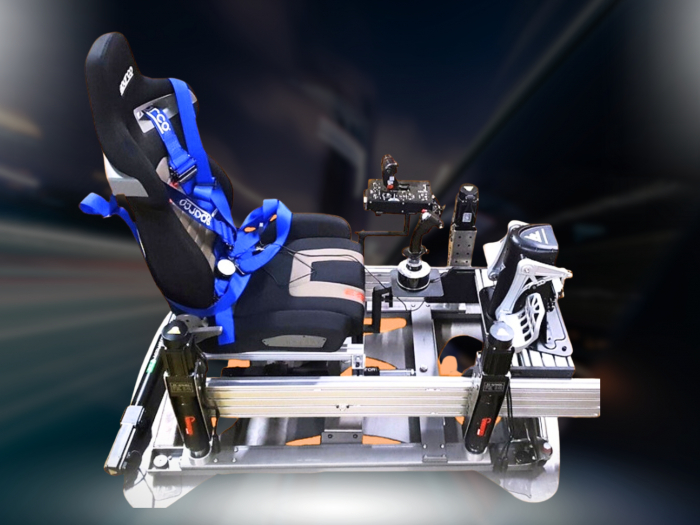

A foldable rig is the more practical choice when your racing setup needs to clear the room between sessions; a fixed cockpit suits a space that can stay dedicated to sim racing. For a racing simulator in a limited room, the key trade-off is convenience versus a more permanent, immersive setup. A useful test is whether the rig can be put away in under five minutes.
It’s easy to focus on the wheel and pedals, but the space they need matters just as much. Allow room to drive, position the equipment securely and store it when it’s not in use.
This comparison explains how foldable rigs and fixed cockpits differ in footprint, stability and everyday practicality. It also covers equipment layout and hardware and software considerations, helping you choose a compact setup that suits your room and the way you race.
Key Takeaways
- Choose a foldable rig if you need to reclaim floor space, and a fixed cockpit if your setup can stay in place.
- Prioritise a stable frame and secure pedal support to keep your driving position consistent.
- Plan storage, screen placement and cable routing together so equipment fits your room without creating clutter.
- Match your wheel, pedals and chosen sim racing platform before adding immersion-focused equipment such as motion or VR.
Foldable sim racing rigs for small homes and apartments
A foldable racing seat or wheel stand is usually the best compact choice when you need to clear floor space after driving. You can mount a wheel and pedals to a sturdy desk, provided its surface and edge support the clamps securely.
Storable racing cockpits
A foldable cockpit combines a racing seat, frame and mounting points in one setup, then folds or stores between sessions. Compared with a separate wheel stand, it keeps the seat and controls aligned, which can improve comfort and consistent feedback. Choose a design you can put away in under 5 minutes if frequent storage is essential.
Foldable seats and flexible frames suit rooms that serve more than one purpose. Measure both the driving area and storage space before choosing. A foldable table can serve as a desk and cockpit surface, while a wheel stand takes less commitment than a complete cockpit. Bear in mind that a separate chair needs to stay in a consistent position.
| Option | Storage | Driving position | Best suited to |
|---|---|---|---|
| Foldable racing seat and frame | Folds for storage | Seat and controls stay aligned | Regular sessions, shared rooms |
| Foldable wheel stand | Stand can be moved aside | Uses a separate chair | Limited storage and flexible seating |
| Desk-mounted wheel and pedals | Controls can be removed | Depends on desk and chair | Occasional racing, dual-use desks |
Choose a cockpit for a consistent seat position, or a wheel stand if moving the controls matters more.
Apartment noise and vibration
Wheel feedback, pedal movement and motion can transmit sound or vibration through a floor, especially in a shared building. A stand with built-in dampeners can help minimise vibration, while sound-absorbing foam can reduce sound reflections. These address different issues: use dampeners beneath equipment and consider foam near reflective surfaces.
For a quieter setup, secure cables with Velcro straps and prevent loose equipment from rattling against a desk. LED strips can add ambient lighting without relying on louder audio for atmosphere. If vibration is your main concern, prioritise a stable stand with dampeners over extra motion features.
Choosing a sim racing cockpit
A cockpit should hold your wheel and pedals steady while keeping your driving position comfortable. Measure the available footprint, including the space your legs need when braking. Then consider whether the frame can stay assembled or must share floor space with work, storage or everyday living.
Pedal stability matters as much as the seat. A wheel stand with a crossbar or another effective pedal restraint helps prevent hard braking from pushing the pedals away. If you use a desk-mounted wheel, make sure the desk is sturdy: movement under your hands can interrupt feedback and detract from the racing experience.
Match the cockpit position to the racing style you enjoy. A formula-style posture places your legs higher and further forward, while a conventional position feels closer to a road car. The seat should support your back and let you reach the wheel and pedals without stretching. Adjustability helps if different drivers share the setup.
- Check how the wheel attaches, such as clamps on a desk or mounts on a frame.
- Look for secure pedal support, including a crossbar or braced pedal plate.
- Confirm the seat and controls can be aligned for your driving posture.
Logitech is one example of a wheel brand; whichever technology you choose, the cockpit needs a stable mounting position. A compact frame can suit a serious sim racing setup, while a larger cockpit may offer a more consistent seating position if it can stay assembled. Prioritise structural stability over bulky features that don’t improve your fit.
Once the frame and posture are settled, accessories can help refine the setup. Explore sim racing accessories as a way to consider practical additions around your chosen cockpit.
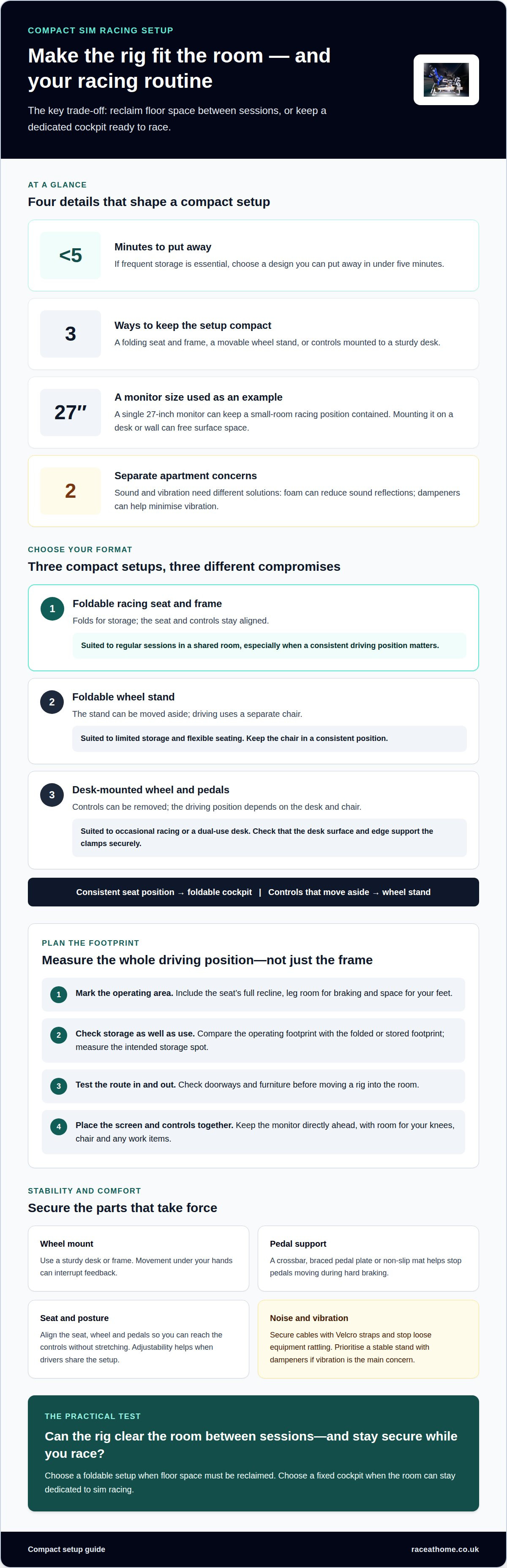
Choosing equipment to fit limited space
A compact setup works best when the seat, controls and screen fit the room as one layout. Measure the driving position and storage area before choosing equipment.
Small-room racing setups
A small-room setup can pair a compact frame with a single monitor, keeping the racing position contained without filling the whole room. A 27-inch monitor is one example for an apartment; mounting it on a desk or wall can free surface space. For stronger immersion, arrange the screen directly ahead and keep the keyboard or work items accessible when the rig is put away.
Compact doesn’t have to mean basic. Choose each feature for a clear purpose, such as a fixed monitor position or a seat that folds for storage. This keeps the setup focused and avoids adding equipment that takes up space without improving the experience.
Space-saving wheels and pedals
In a limited space, choose a wheel-and-pedal set that attaches securely to a desk or compact stand and can be removed after a session. A stable mount helps keep steering inputs consistent, while pedals need a firm surface so braking doesn’t push them away. The right choice depends on your gaming platform and whether you’ll store the controls between uses.
Keep the wheel, pedals and seat aligned as one driving position. If the wheel is mounted to a desk, leave room for your knees and chair. If the pedals sit on the floor, use a non-slip mat or braced frame.
Compact rig dimensions
Rig dimensions depend on the frame, seat position and whether equipment stays attached during storage. Compare the operating footprint with the folded or stored footprint, not just the frame’s advertised size. Measure the intended storage spot and check the route through doorways and around furniture before moving a rig into the room.
For a practical comparison, mark the footprint on the floor with tape. Include the seat’s full recline and space for your feet, then position the monitor accordingly. This shows whether a frame suits the room before it becomes part of your everyday layout.
Room layouts and clearances
Place the rig where you can reach the seat and controls without blocking a doorway or desk. In a shared room, keep the monitor and cables close to the frame, and mount a PC under the desk or on a wall to free floor space. Wall shelves can hold equipment when it’s not attached to the rig.
Choose a layout by measuring the room first, then arranging the rig, screen and storage around how you use the space.
Sim racing software and hardware requirements
A compact racing setup still needs compatible software, a suitable gaming platform and correctly connected controls. For a racing simulator in a limited room, match the sim racing title to your computer or console first, then choose wheels, pedals and displays that work with that platform.
A compact gaming PC or sufficiently powerful gaming laptop can suit a small-room setup. The right choice depends on the simulator’s requirements and the visual settings you want. If you already own a computer, compare its capabilities with the game’s demands before adding hardware. Otherwise, include its size and placement in your room plan.
Think of the signal path as a practical checklist: the game runs on the platform, the wheel and pedals connect to it, and the display shows the driving environment. Compatible equipment lets steering and braking inputs register properly. If a component uses a different platform or connection, the controls may not work as intended.
Software shapes the challenge as much as hardware. A racing title may focus on structured series, individual events or different driving disciplines. Choose the experience you’ll actually use, then prioritise controls to suit it. A wheel provides steering feedback, while responsive pedals help you modulate braking and acceleration.
If your racing simulator is in a limited room, include sound in your plan. A compact system with speakers and a subwoofer can reproduce engine and track audio. In an apartment, headphones may suit your sessions better. Either way, route cables along the desk or rig, away from pedals and moving feet.
Before buying, list the platform, simulator, wheel, pedals, display and audio you plan to use. Check compatibility across the whole setup, not just between the wheel and computer. This helps prevent mismatched equipment and keeps your choices focused on the features that matter.
To refine the controls around your chosen platform, explore sim racing accessories for practical additions to your setup.
Race@Home: Sim Racing Accessories
Race@Home offers Sim Racing Accessories and motion platforms for drivers ready to refine a compact setup. The LowSlider 6 DOF Twin-Traction-Loss Motion Platform and LowSlider 3DoF motion platform provide a realistic racing experience with a small physical footprint. They’re relevant when you want motion feedback without designing your room around a large simulator.
Pimax VR headsets are another option alongside your existing equipment. Choose additions according to the experience you want and the space your setup can accommodate, rather than adding hardware for its own sake.
If you’re weighing up motion, VR or accessories for your room, contact Race@Home to discuss your sim racing setup.
Shape your setup around the way you race
A compact simulator should fit your routine, not dictate how you use your room. Before adding a component, decide what would make your next session more rewarding: a stronger sense of movement, a more immersive view or controls that feel more natural. That priority gives each upgrade a clear purpose.
For a racing simulator in a limited room, thoughtful choices can make the space feel purposeful rather than crowded. Build around the experience you want and leave room for your setup to evolve as your driving interests change. The result can be personal and focused without trying to recreate a full-size racing environment at home.
When you’re ready to explore what could suit your space and ambitions, start a conversation with Race@Home. Your next step towards a more immersive home racing experience can begin with a clear idea of what you want to feel from the driver’s seat.
Frequently Asked Questions
How much space does a racing simulator cockpit and wheel require?
A full-motion simulator needs at least as much space as a small double bed, plus clearance in front and on the sides. The floor must be solid and able to support the rig, which weighs between 60 kg and 100 kg, excluding the driver and peripherals. Include the wheel, seat and pedal position in your layout, as well as access to mains power and preferably a wired network connection.
How can I store or fold away a racing simulator after use?
Foldable wheel stands and seats can be moved or stored according to their design, but a full-motion simulator needs a dedicated footprint rather than being treated like a fold-away chair. Race@Home simulators ship in four pieces for customer assembly, with setup taking under an hour. Plan where the assembled rig will sit, then organise nearby cables and accessories so the room remains usable around it.
Which racing simulator wheels and pedals work best in limited space?
Choose a wheel and pedal set that’s compatible with your gaming platform and attaches securely to a desk or compact stand. A stable mount and pedals on a firm surface, non-slip mat or braced frame help keep controls in place. Removable controls are practical when you need to reclaim space.


