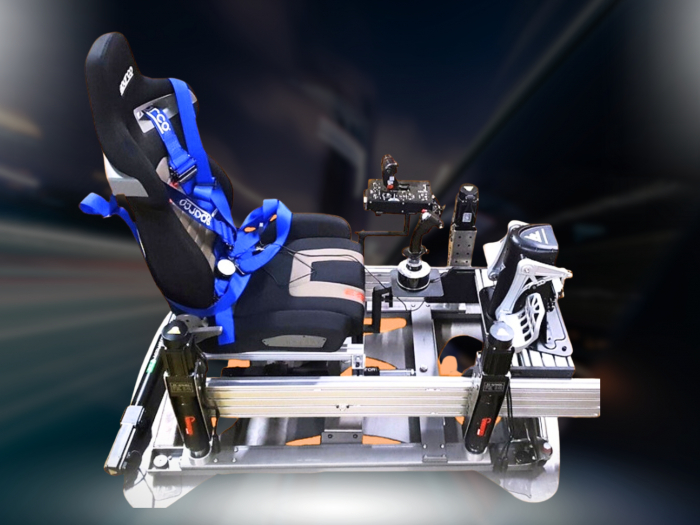

A bespoke racing room is about more than adding movement to a cockpit. In the UK, you can choose a static simulator or a hand-built motion simulator, depending on the sensations you want and the space available. Motion rigs translate racing data into physical feedback, while a static rig keeps the cockpit fixed.
It pays to weigh more than the hardware alone. If you’re considering a hand-built motion simulator in the UK, the platform, cockpit layout and room all affect how the setup feels and fits at home. A more elaborate build isn’t automatically the right choice for every driver.
This guide compares static and motion simulator options, explains what a UK-built racing rig can involve, and explores bespoke motion and room builds. You’ll get a clearer picture of how the options differ, which practical factors shape a setup, and what could suit your racing space.
Key Takeaways
- Compare a static cockpit with a moving platform by considering the level of physical feedback you want from your racing experience.
- Look beyond the “UK-built” label: a simulator’s motion priorities and design influence how it feels in use.
- Plan the cockpit and room together so the rig’s footprint and layout work with your available space.
- Explore how different motion-platform configurations, including Race@Home’s LowSlider options, could suit your racing setup.
UK-built racing simulators
UK-built rigs range from fixed cockpits to bespoke moving platforms. Your choice depends on the movement, seating position and activities you have in mind.
UK-built racing simulator options
Motion design can prioritise different sensations. One builder focused on smooth, precise movement and a broad range for flight simulation, rather than a low-sitting, fast-moving F1 racing rig. That distinction matters if you want one simulator for racing and flight: the motion profile should suit both uses.
A DIY example moved from a 2DOF simulator, used for 3 years, to a 6DOF build. Its components included a 1500-watt power supply, four Arduino boards and six motor drivers. These details describe one project, not a standard specification for every UK-built racing simulator.
Other project formats include a compact AC-servo rotary Stewart platform with 6 degrees of freedom, and a 7 Actuator layout that isn’t a Stewart platform. Examples also include a 3-DOF seat mover and a 6DOF seat mover rated at 3070 watts. These options show how much designs can differ.
What software and games are compatible with UK-built motion simulators? Compatibility depends on whether a game provides motion data and whether the control software and platform can interpret it. Racing and flight titles may therefore work differently across setups.
Frames and cockpit choices
The frame connects the seat, controls and motion system. Its layout affects your seated position and how the cockpit moves beneath you. A low-sitting design may suit a racing-focused setup, while a broader range of movement can support flight simulation. Decide which use matters most before choosing a frame.
Check how the seat, steering wheel and pedals fit together. Their relative positions shape your driving posture and reach to the controls. For a multi-use simulator, consider how easily you can adapt the cockpit between activities. The frame should accommodate your chosen controls without compromising your preferred seating position.
Motion also affects a room’s requirements. For an FSTD fitted with a motion system, observer seats must be secured to the floor and fitted with restraints strong enough for predicted motion excursions, according to the European Union. This requirement is specific to FSTDs, but illustrates why room layout and intended use matter alongside the rig.
Static and motion simulator range
A static simulator keeps the cockpit fixed, while a motion system adds physical movement. Choose according to the feedback you want, the space available and how you plan to use the rig.
Full-motion options can reproduce thrust, pitch, roll and heave. These movements translate simulator data into motion beneath the seat, helping you sense acceleration, body roll and changes in elevation. A static cockpit can still deliver a racing experience through its controls and screen or headset, without moving the frame.
How do UK motion simulator builders compare on features and support? Compare the stated movement, intended use, software compatibility and footprint, then consider the setup guidance and ongoing support each builder provides. The platform’s motion capabilities matter more than a range label alone.
What safety risks and maintenance requirements come with motion simulators? Moving mechanisms can create pinch points, so keep people and loose objects clear while the rig operates. Inspect the frame, fastenings, cables and moving parts for wear or damage before use, and follow the system’s maintenance guidance.
Reading TL, LC and JB ranges
TL, LC and JB range labels don’t explain a simulator’s movement by themselves. Compare options by the motion they produce, their intended use and how they fit your cockpit. A formula that prioritises pitch and roll may feel different from one focused on traction loss or vertical movement, so match the platform’s stated behaviour to your driving preferences.
Consumer-range alternatives span fixed cockpits and motion platforms, with different levels of physical feedback. If you’re comparing a compact motion platform with a static rig, consider whether added movement serves your racing goals or simply adds complexity. Explore motion-platform options as one route towards bringing simulator telemetry into physical feedback.
Bespoke motion rigs and room builds
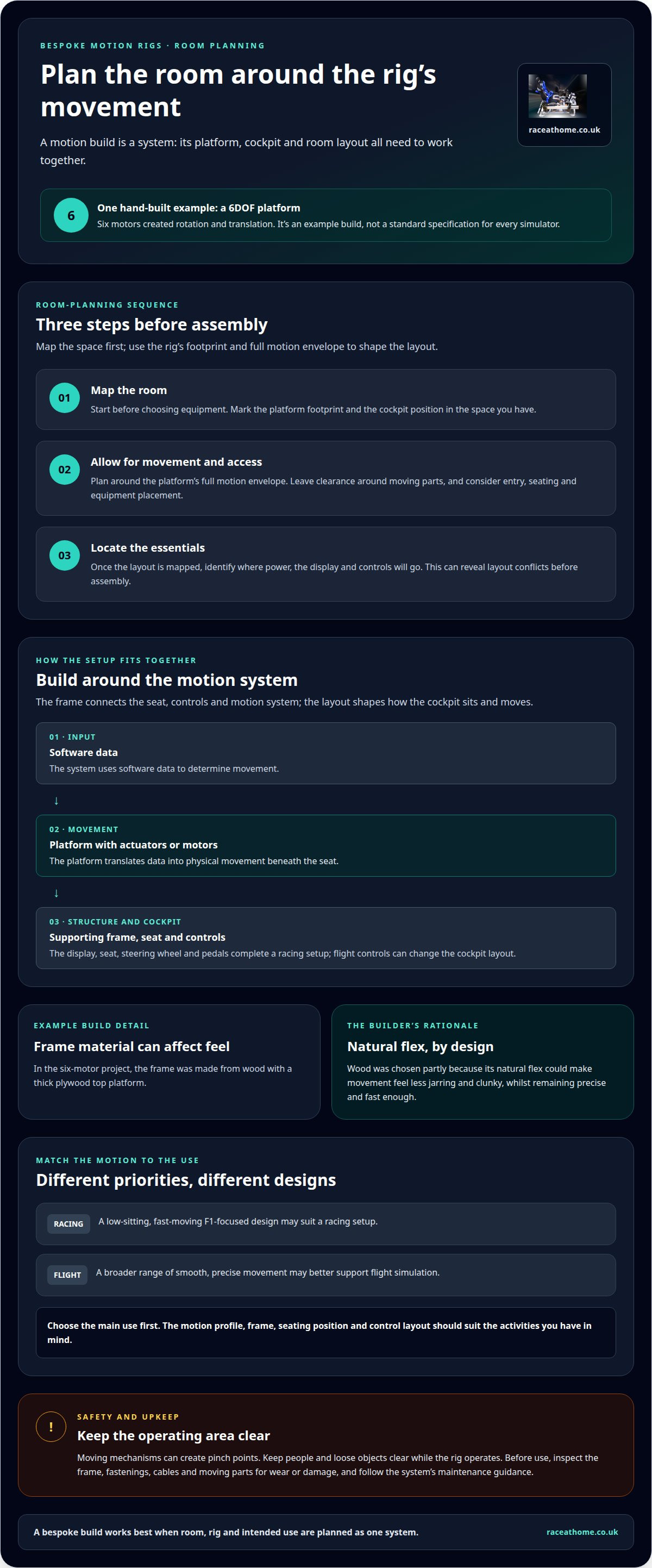
Plan the room around the platform’s movement, cockpit and access. Space requirements depend on the rig’s footprint and full motion envelope, so leave clearance around moving parts and consider entry, seating and equipment placement.
Hardware varies by design. A motion simulator needs a platform, actuators or motors, a supporting frame and controls that translate software data into movement. Your display, seat, steering wheel and pedals complete the racing setup; flight controls can change the cockpit layout.
One hand-built 6DOF project used six motors to create rotation and translation. Its frame was made from wood, with a thick plywood top platform. The builder chose wood partly because its natural flex could make movement feel less jarring and clunky, whilst remaining precise and fast enough.
That example shows why bespoke design involves more than choosing a motor count. The frame, platform and motion system must work together. If the goal is sharp racing feedback, the design priorities may differ from those for a multi-use room intended for flight simulation. The physical layout also determines where screens, controls and seating can go.
For planning, map the room before choosing equipment. Mark the platform footprint, cockpit position and space needed for the platform’s movement. Then identify where power, the display and controls will go. This sequence helps reveal layout conflicts before assembly.
The scale depends on the room build and hardware included, from a dedicated motion rig to a more complete simulation environment. Those figures describe residential suite projects generally, not a quote for a particular build.
As the build becomes more ambitious, plan the room and rig as one system. A six-motor platform, plywood deck, cockpit and displays all affect the layout. Careful planning connects digital telemetry with physical movement, bringing the simulation closer to reality without letting room design undermine the experience.
What types of hand-built motion simulators are available in the UK?
UK hand-built motion simulators vary by movement, actuator design and intended activity. Start by deciding whether you want movement beneath the seat, across the full platform or tailored to another vehicle type.
A 6DOF platform provides six degrees of freedom through rotation and translation. One approach uses brushless actuators, while another DIY project uses a compact AC-servo rotary Stewart platform. These are different mechanical routes to multi-directional movement, not interchangeable labels for identical hardware.
Actuator count also varies. A compact rectangular DIY platform uses 7 actuators and is described as not being a Stewart platform. That distinction helps explain why two rigs with similar movement goals may have different frame layouts and mechanical arrangements.
Power source is another design choice. One listed project uses 12-volt DC motors, whilst other designs use servo or brushless actuators. The motor type influences the platform’s mechanical architecture, so compare the complete design rather than choosing from a component name alone.
Some builds target a specific vehicle experience. A motorcycle simulator project uses 4 DoF, adapting motion to a two-wheeled riding position. That differs from a racing cockpit, where seat, steering wheel and pedals shape the interaction. The intended activity should guide the rig’s layout and movement profile.
For a racing room, compare options by asking what moves, how the actuators are arranged and whether the cockpit suits your controls. A full-platform design and a seat-focused system can create different sensations, even if both use several degrees of freedom. Match the movement to your preferred driving feedback and available space.
If you’re narrowing down configurations, explore motion platform options for a racing setup. Comparing the movement approach with your intended use gives you a clearer basis for choosing a hand-built simulator.
Race@Home: LowSlider 6 DOF Twin-Traction-Loss Motion Platform
Race@Home’s LowSlider 6 DOF Twin-Traction-Loss Motion Platform is a hand-built, full-motion option for drivers seeking physical feedback from their sim racing. Its ultra-low profile and compact footprint help make motion simulation practical in a dedicated racing room. If you want a different degree-of-freedom setup, the LowSlider 3DoF motion platform offers an alternative.
Race@Home’s platforms are built to order around the LowSlider design. They ship worldwide in four pieces for customer assembly, and the complete setup can be assembled in under an hour. The compact, low-profile design offers a specialist motion rig without requiring a turnkey installation service.
For a more immersive cockpit, Pimax VR Headsets and Sim Racing Accessories can complement the motion platform. To explore the LowSlider options for your racing room, visit Race@Home.
Shape your next racing setup
Your next step is to define what you want the simulator to do, not simply how much movement it can produce. Decide which driving sensations matter most, how you’ll use the cockpit and what you want to experience each time you race. That gives your build a clear purpose and helps you discuss a hand-built motion simulator in the UK with confidence.
Race@Home offers the LowSlider 6 DOF Twin-Traction-Loss Motion Platform and LowSlider 3DoF motion platform, alongside Pimax VR Headsets. Consider which parts best match your intended experience, whether you’re prioritising motion feedback, visual immersion or both. A well-chosen combination can make your sim racing feel more connected to the action on screen.
Ready to turn your ideas into a considered setup? Contact Race@Home about your setup and take the next step towards a racing room built around your goals.
Frequently Asked Questions
What UK companies build custom motion simulators?
Race@Home builds hand-built LowSlider motion platforms for sim racing, including the LowSlider 6 DOF Twin-Traction-Loss Motion Platform and LowSlider 3DoF motion platform. It also offers Pimax VR Headsets and sim racing accessories. If you’re comparing UK options, distinguish platform manufacturers from sellers of separate components, then assess whether each motion configuration fits your cockpit and intended driving experience.
How much does a custom-built motion simulator cost in the UK?
The price of a custom-built motion simulator depends on its motion system, mechanical design, cockpit components and any room work. A platform-only purchase differs from a wider build integrating displays, seating and controls. For a useful comparison, define the hardware you need first, then compare like-for-like configurations. This helps you understand what each quote covers without treating unrelated builds as equivalent.
What is the process for designing and building a custom motion simulator?
Start by defining your main use, such as circuit racing or a mixed racing and flight setup. Next, choose the movement profile and cockpit layout, then plan the room around the platform, controls and display. Once those decisions are made, the rig can be designed around your requirements. For a made-to-order system, this sequence connects your preferred feedback to the hardware and space.
Do UK motion simulator builders offer installation, warranties, and after-sales support?
Installation, warranty cover and after-sales support are separate parts of a purchase and can differ between builders and products. Read the written terms to understand what assembly involves, what the warranty covers and how support is handled after delivery. Distinguish customer assembly from a full room installation. These details help you compare the complete ownership experience, not just the motion platform.
How do UK motion simulator builders compare on features and support?
Compare each builder’s stated movement, intended use, software compatibility and footprint, then consider the setup guidance and ongoing support they provide. The platform’s motion capabilities matter more than its range label alone.


