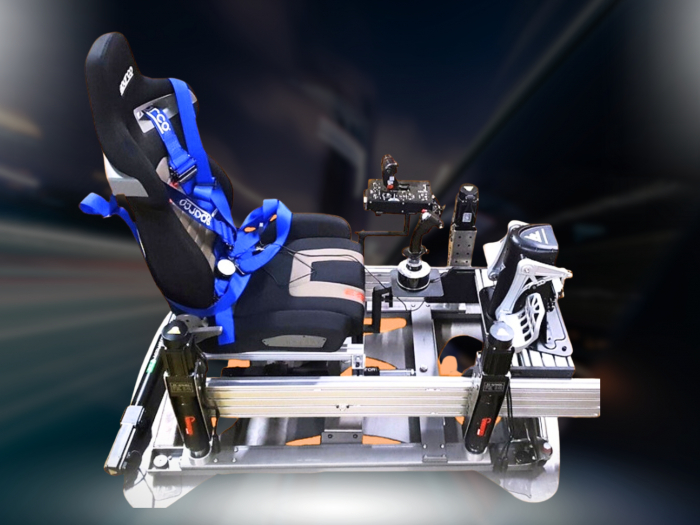

A simulator’s uptime depends on more than its motion platform: keep maintenance records, protect equipment from unsuitable operating conditions, and understand the separate warranty for each major component. A practical approach to motion simulator reliability and warranty starts with those three checks, because clear records and component-specific terms make it easier to identify what needs attention and what coverage may apply.
It’s natural to focus on the sensation of precise, responsive movement. But heat, dust, poor ventilation, unstable power and incorrect mounting can affect equipment life, while warranty terms may differ across the simulator’s components. This guide explains what to record, how operating conditions influence reliability, and why each component’s written warranty matters. The result is a clearer plan for protecting your investment and keeping the experience immersive for longer.
Key Takeaways
- Keep purchase and installation details together, and record symptoms clearly so a fault is easier to describe when seeking support.
- Review the simulator’s surroundings and setup: heat, dust, poor ventilation, unstable power and improper mounting can affect equipment life.
- Read the written warranty for each component separately to understand its specific coverage and terms.
- Track when performance issues occur and which part is affected to help distinguish a motion-platform fault from a problem elsewhere in the system.
1. Records and maintenance to support warranty claims
Good records make faults easier to explain and can support a warranty claim. Keep the invoice, serial number, product registration and installation details together. Record the purchase date and component name, and label documents for each separate unit so a platform issue isn’t confused with a computer or display fault. Store digital copies as well as the original paperwork.
When a problem appears, record the date, what you were doing and what happened beforehand. Photograph visible damage, save error messages and note whether the fault occurs every time or intermittently. For example, record if motion stops after a particular session or an error appears during startup. These details give technical support a clearer starting point than “it doesn’t work”. Log maintenance too, including the task and date.
Warranty service and ongoing technical support are different. A warranty sets out whether a covered fault qualifies for repair or replacement; technical support helps diagnose operation and use. Troubleshooting may involve checking connections, recording software or control-system messages, and isolating which component is affected. Replacement-part support concerns identifying the correct part and the process for addressing a failed component. The written terms determine what the warranty covers, while support arrangements govern assistance beyond that coverage.
There’s no sound universal ranking of motion simulator brands for reliability and warranty support. Compare the written coverage for the actual components, the stated exclusions, and the available troubleshooting and parts process. Simulator prices cannot be compared reliably with repair or replacement costs without knowing which component has failed and what work it needs. Maintenance frequency follows the manufacturer’s instructions and the simulator’s usage and conditions; its cost depends on the required tasks, parts and labour. Keep those maintenance records with the invoice and serial number to make future diagnosis more precise.
2. Environmental conditions and equipment lifespan
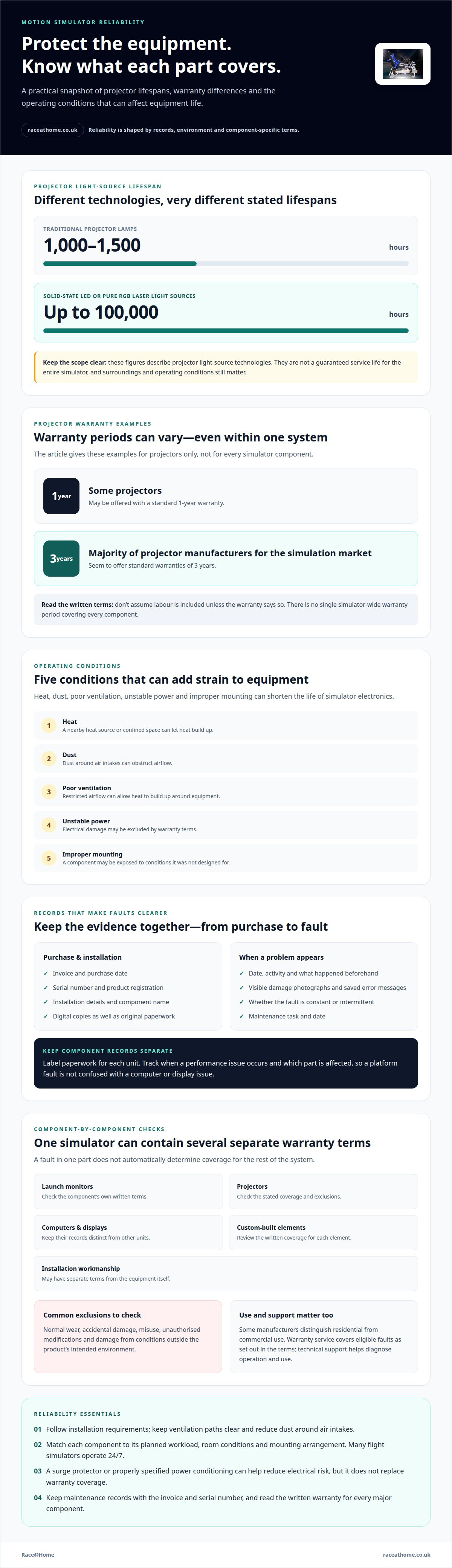
Heat, dust, poor ventilation, unstable power and improper mounting can shorten the life of simulator electronics. A dusty room, for example, can obstruct airflow around equipment, while poor ventilation allows heat to build up. Stable conditions matter because electronic components generate heat during operation. If a simulator sits near a heat source or in a confined space, its environment can add strain beyond normal use.
Start with the equipment’s installation requirements. Keep ventilation paths clear, reduce dust around air intakes and avoid placing equipment where heat collects. Follow the mounting instructions, since an incorrectly mounted component may be exposed to conditions it wasn’t designed for. For commercial installations, make sure major components suit the planned environment. Operating hours, room conditions and mounting arrangements all help determine whether a setup suits its intended use.
Projector light sources illustrate why lifespan depends on component type. Traditional projector lamps can last 1,000-1,500 hours. Solid-state LED or pure RGB laser projector light sources can have a lifespan of up to 100,000 hours. These figures describe different light-source technologies, not a guaranteed service life for the entire simulator. A projector’s surroundings and operating conditions still affect the equipment around the light source.
Usage patterns add another factor. Many flight simulators operate 24/7, so equipment intended for occasional home sessions may not suit that operating schedule. Match each major component to its planned workload and environment. Unstable power can contribute to electrical damage that warranty terms may exclude. A surge protector or properly specified power conditioning can help reduce that risk, but doesn’t replace warranty coverage. Together, suitable mounting, ventilation, dust control and stable power create a more supportive operating environment, helping protect equipment life and reduce avoidable interruptions.
Treat these measures as risk reduction, not warranty coverage. A surge protector or properly specified power conditioning can help prevent electrical damage that a warranty may exclude, but it isn’t a substitute for warranty coverage.
3. Separate warranties for simulator components
A motion simulator combines parts that may have different warranty documents and coverage periods. Launch monitors, projectors, computers, displays, custom-built elements and installation workmanship can each carry separate terms. A fault in one component therefore doesn’t automatically determine coverage for the rest of the system.
For a purchase in the United States, distinguish the manufacturer’s written warranty from consumer protections that may apply to the sale. There isn’t one simulator-wide warranty period covering every component. Review each part’s written terms alongside the purchase records.
Projector warranties show why component-by-component checks matter: some projectors are offered with a standard 1-year warranty, while the majority of projector manufacturers for the simulation market seem to offer standard warranties of 3 years. These figures relate to projectors, not every simulator component. A written warranty also determines what repair or replacement coverage applies; don’t assume labour is included unless the terms say so.
Exclusions can matter as much as the coverage period. Equipment warranties commonly exclude normal wear, accidental damage, misuse, unauthorised modifications and damage caused by conditions outside the product’s intended environment. Hardware warranties also don’t typically guarantee that third-party software services will remain unchanged or compatible indefinitely. Some manufacturers distinguish between residential and commercial use, so intended use can affect the applicable terms.
Before purchase, obtain the written warranty for each component and note its coverage period, exclusions, remedy and claim process. Check whether installation work has separate terms and whether your planned residential or commercial use meets the warranty conditions. Record each component’s warranty separately. Comparing terms component by component helps reveal potential gaps before a fault interrupts a session.
4. What are common motion simulator failure points and reliability issues?
A simulator fault may appear as lost movement, an unexpected stop, a control error or missing visual output. These symptoms can point to different parts of the system, so note what still works before changing anything. If the display remains active but the platform stops responding, record that. If movement continues but the image disappears, note whether the computer and display stay powered.
Start with external connections and power. A loose cable or disconnected plug can interrupt communication or power without indicating a failed component. Check whether the issue affects one device or the whole rig, and note any status lights or error messages. If the problem returns after a restart, record what happened and avoid repeating resets. This gives technical support a useful diagnostic trail.
Describe mechanical symptoms clearly. A new knock, vibration or uneven movement may help identify where attention is needed, but don’t dismantle a moving platform to investigate. Stop operation if movement becomes erratic, then record the symptom and the conditions when it appeared. For a computer or projector fault, note whether it happens during startup, after sustained use or only with a particular simulation.
Software and hardware can also produce similar symptoms. A control error may originate in a connection, a component or software behaviour, so describe what changed before the fault appeared. Record recent updates or configuration changes, and distinguish a repeatable issue from an isolated interruption. Warranty coverage may exclude unauthorised modifications, making it sensible to avoid improvised repairs. For help choosing a motion platform suited to your setup, explore motion-platform options and consider how the system’s movement will fit your intended use.
Before requesting support, golf simulator buyers should document issues with photos, error messages, and a description of when the issue occurs. Keep the record focused on the fault as it appears: include photos of the issue, note the error messages, and describe when it occurs. Present these details together in the support request, giving a clear account of the problem and its timing. A concise record can help ensure that the request includes the relevant information from the outset.
Race@Home
Race@Home helps you choose motion simulator hardware with your intended use and available space in mind. Its LowSlider 6 DOF Twin-Traction-Loss Motion Platform and LowSlider 3DoF motion platform are designed for realistic racing experiences with a small physical footprint. Understanding the system you’re considering can help you plan how its components fit together and review their warranty terms before purchase.
Race@Home hand-builds LowSlider motion platforms to order. The platforms ship worldwide in four pieces for customer assembly. This format can help you plan the physical setup alongside operating conditions and component coverage. Race@Home also offers Pimax VR headsets and sim racing accessories to complement a simulator setup.
If you’re considering a motion simulator and want to discuss the hardware for your setup, contact Race@Home.
Make reliability part of your next simulator decision
Plan for the experience you want over time, not just the first session. Consider how often you’ll use the simulator, how much space you have and the level of physical feedback you want. These priorities can help shape a setup that fits your routine and clarify your support and warranty considerations before you choose hardware.
Motion simulator reliability and warranty deserve consideration alongside immersion and performance. Start with clear expectations about how you’ll use the system and what matters most in your setup. To discuss your requirements and explore suitable options, contact Race@Home.
Contact Race@Home about your simulator to start planning a setup that brings your racing experience to life.
Frequently Asked Questions
How can you plan for maximum uptime and reliability of your simulator?
Plan sessions around the system’s key components, including the motion platform, computer, display and power supply. A motion simulator reliability and warranty plan can include a brief operational check before important events and a controlled test after maintenance or component changes. For a commercial setup, schedule planned servicing during quieter periods where possible. This can help reveal changes in behaviour before they disrupt a session and give you time to respond.
What is the typical lifespan of a motion simulator and its components?
There’s no single lifespan that applies to an entire simulator, because its platform, computer, display and other components experience different workloads. Calendar age alone doesn’t show how intensively a system has been used or how its performance has changed. A frequently used simulator, for example, may need attention to one component while others remain operational. Assess each part separately, considering its condition, operating history and manufacturer guidance when planning maintenance or replacement.
Which motion simulator brands have the best reliability and warranty support?
There’s no universal ranking for reliability or warranty support. Compare each component’s written coverage and exclusions, along with the available troubleshooting and parts process.


